
Guides · Any ERP

Mondial for any ERP

A faster period-end close for groups on any ERP or accounting system, both cloud and on-premise, on one system or several.

Download the guideBook a walkthrough

By Mark Richardson FCCA, founder and CEO of Mondial

In short

Most ERP and accounting systems run each company's books very well, but stop at the edge of the company: consolidation, intercompany eliminations, currency translation and the group reporting pack end up in spreadsheets. Mondial runs the group's period-end close alongside your ERP, whichever it is, both cloud and on-premise: it connects through REST or SOAP web services, ODBC or a standard file import, brings every company's data together, aligns it, posts the period-end adjustments and feeds your existing Excel reports, so groups of 2 to 25 companies close faster, at a mid-market price.

  • REST, SOAP or ODBCconnections to a wide variety of systems, or a standard file import
  • About a weekfrom connection to a reconciled trial balance
  • 2 to 25companies, on one ERP or several
  • Your Excelreports kept, with drill-down

Using one of these? There is a dedicated guide for Business Central, NetSuite, SAP Business One, SYSPRO, Plex, Acumatica, Sage Intacct and OneAdvanced.

What most ERPs do for groups, and what Mondial adds

Most ERP and accounting systems run each company's accounting very well. This is the general pattern of how they handle the group-level work, where they typically stop, and what Mondial adds. The details vary by system and edition.

NeedMost ERPs on their ownWith Mondial
Bringing companies togetherEach company, or each database, keeps its own books; consolidation, where offered, covers companies in the same systemCompanies on separate databases, servers or versions are combined in spreadsheetsImports every GL, AP and AR transaction from each company, wherever it runs, into one place
Companies on other ERPsAn ERP consolidates its own companies onlyAcquisitions on other systems sit outside until they are migrated, often years laterConnects to several ERPs at once, so every company is reported together from day one
Charts of accountsConsolidation usually expects one shared chart of accountsCompanies with their own charts are re-mapped in Excel every monthMaps each company's own chart to one group chart, plus statutory charts
Year-ends and calendarsOne calendar for the companies consolidated togetherDifferent year-ends and 4-4-5 calendars are adjusted by handReports different year-ends and calendars together, from transaction dates
CurrenciesEach company keeps its books in its own currencyTranslation, third-currency reporting and the CTA are worked out in spreadsheetsTranslates every transaction into each reporting currency and calculates the CTA
IntercompanyIntercompany postings between companies in the same systemMatching and eliminating across systems is manualMatches intercompany transactions and records eliminations as auditable journals
Local and group GAAPEach company's books follow its local standardGroup GAAP adjustments live in spreadsheetsPosts adjustments in separate ledgers, never in your ERP
ReportingReport writers and exports to Excel, company by companyThe group pack is rebuilt in Excel each month, with no drill-downYour existing Excel reports linked to live data, with drill-down to the transactions

How Mondial runs the close with your ERP

  1. ImportGL, AP and AR detail, down to each invoice line, from your ERP and any other ERPs in the group, in one central repository.
  2. AlignOne group chart of accounts and every reporting currency, whatever each company's year-end or calendar.
  3. ReconcileIntercompany balances matched across the group, wherever each company keeps its books.
  4. AdjustEliminations, GAAP, statutory and currency journals, auditable and never posted back to your ERP.
  5. ReportIn the browser or in your existing Excel reports, with drill-down, while a dashboard tracks each company's close.

Mondial connects to ERP and accounting systems through their REST or SOAP web services, or directly to their databases through ODBC. Where neither is available, a standard file import brings the data in. So it works with a wide variety of systems, several at once. A connection to a system Mondial has not worked with before typically takes under a week to set up.

What Mondial adds, whichever ERP you run

  • Connects to a wide variety of ERP and accounting systems through REST, SOAP or ODBC, or a standard file import, several at the same time
  • A period-end dashboard showing how the close is progressing in each company, so delays are spotted early
  • Reports companies with different year-ends and calendar structures together, from transaction dates
  • Translates every transaction into each reporting currency, revalues balances and calculates the CTA
  • Identifies and matches intercompany transactions and records the eliminations as auditable journals
  • Maps different charts of accounts to one group chart, plus statutory charts, and posts local GAAP adjustments in separate ledgers
  • Links your existing Excel reports to live data, with drill-down from any figure to the transactions in your ERP
  • Segment and departmental reporting across the group
  • Imports the lines behind every transaction, down to each line on AR and AP invoices, so management reports can be filtered by the analysis fields each of your systems uses, across the group as well as company by company

For every capability, with what it does and why it matters, see What Mondial does.
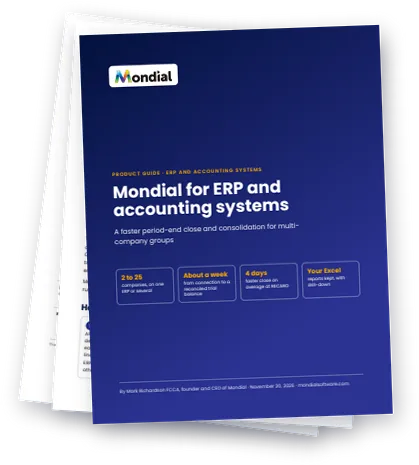
Cover of the Mondial for ERP and accounting systems product guide

Free download

Download the complete guide: Mondial for ERP and accounting systems

The full product guide as a PDF: our general guide, for any ERP or accounting system, including those with a dedicated guide: how Mondial connects and runs the close, what most ERPs do for groups and what Mondial adds, and every capability with what it does and why it matters. Fill in the short form and we will email you a link to download it.

PDF · 11 pages


4 daysfaster close, on average

RECARO Automotive, a manufacturer with operations in the United States, Germany and Japan, closes its books about four days faster on average with Mondial.

Is Mondial right for your group?

A strong fit if you have

  • 2 to 25 companies, on one ERP or several
  • companies in different countries and currencies
  • different local GAAPs, charts of accounts, year-ends or calendar structures
  • intercompany trading to reconcile and eliminate
  • group or statutory reports built in Excel today

Probably not what you need if

  • you run a single company in one currency with straightforward reporting
  • you are looking mainly for budgeting and planning software

Mondial is a monthly subscription at a mid-market price, a fraction of what enterprise consolidation software costs, with no lengthy implementation project.

Frequently asked questions

Which systems can Mondial connect to?

Any ERP or accounting system that offers REST or SOAP web services, or ODBC access to its database, which covers most mid-market systems, both cloud and on-premise. Any other system can send its data through a standard file import. Tell us which systems your companies use and we will confirm how Mondial connects to each.

We have companies on several different ERPs. Can Mondial report them together?

Yes. Mondial connects to several systems at the same time and reports every company together, which suits groups migrating company by company or owning businesses on other systems.

Some of our companies have different financial year-ends. Is that a problem?

No. Mondial builds reports from individual transaction dates, so companies with different year-ends and period structures are reported together for any period.

Does Mondial post anything back into our ERP?

No. Eliminations, revaluations and GAAP adjustments are kept in Mondial, so your ERP data is never changed.

Can we keep our existing Excel reports?

Yes. The Mondial Excel add-in links your existing templates to live Mondial data, with drill-down from any figure to the transactions behind it.

See it working on your own reports

Mark Richardson meets every new prospective customer personally. A 30-minute video walkthrough, using your own reports.

Book a walkthrough
MR

Mark Richardson FCCA is the founder and CEO of Mondial. He has spent more than 30 years in financial software, including at SAP, Sage, Epicor, Plex and Avalara.